> ## Documentation Index
> Fetch the complete documentation index at: https://docs.nivara.io/llms.txt
> Use this file to discover all available pages before exploring further.

# Clever AI Documentation

> AI-Powered Ticketing Intelligence for Clever Servizi Energetici S.p.A.

```mermaid theme={null}
flowchart TD
    A["User"] -->|"Speaks"| B["Speech-to-Text"]
    B -->|"Transcribed text"| C["Clever AI Conversation Agent"]
    C -->|"Extracted info"| D["Ticketing System"]
    D -->|"Ticket ID"| C
    C -->|"Response (Text-to-Speech)"| A
```

## Project Overview

Clever AI is an AI-powered ticketing intelligence platform that enhances customer experience for **Clever Servizi Energetici S.p.A.** by automating the creation and management of maintenance requests through conversational agents.

<Note>
  Powered by OpenAI GPT-4.1-mini and Google Cloud Speech-to-Text / Text-to-Speech, Clever AI converses with users in English or Italian, captures all required customer information, and logs tickets automatically.
</Note>

### Key Challenges

* Manual ticket creation processes
* Incomplete or inaccurate customer data capture
* Lack of real-time insights into ticket status and resolution

### Our Solution

Clever AI introduces a conversational agent that:

1. Listens to customers via microphone using Google Cloud Speech-to-Text.
2. Extracts mandatory information (name, phone, address, issue) using Natural Language Understanding.
3. Prompts for any missing required detail before proceeding.
4. Accepts optional details such as role/job, priority, and request type.
5. Logs the ticket and hands off to human operators when necessary.
6. Supports **English** and **Italian** seamlessly.

## Quick Start

<Steps>
  <Step title="Open Clever AI Conversation Agent">
    Launch the agent interface in a Chromium-based browser (Chrome recommended).
  </Step>

  <Step title="Start the Conversation">
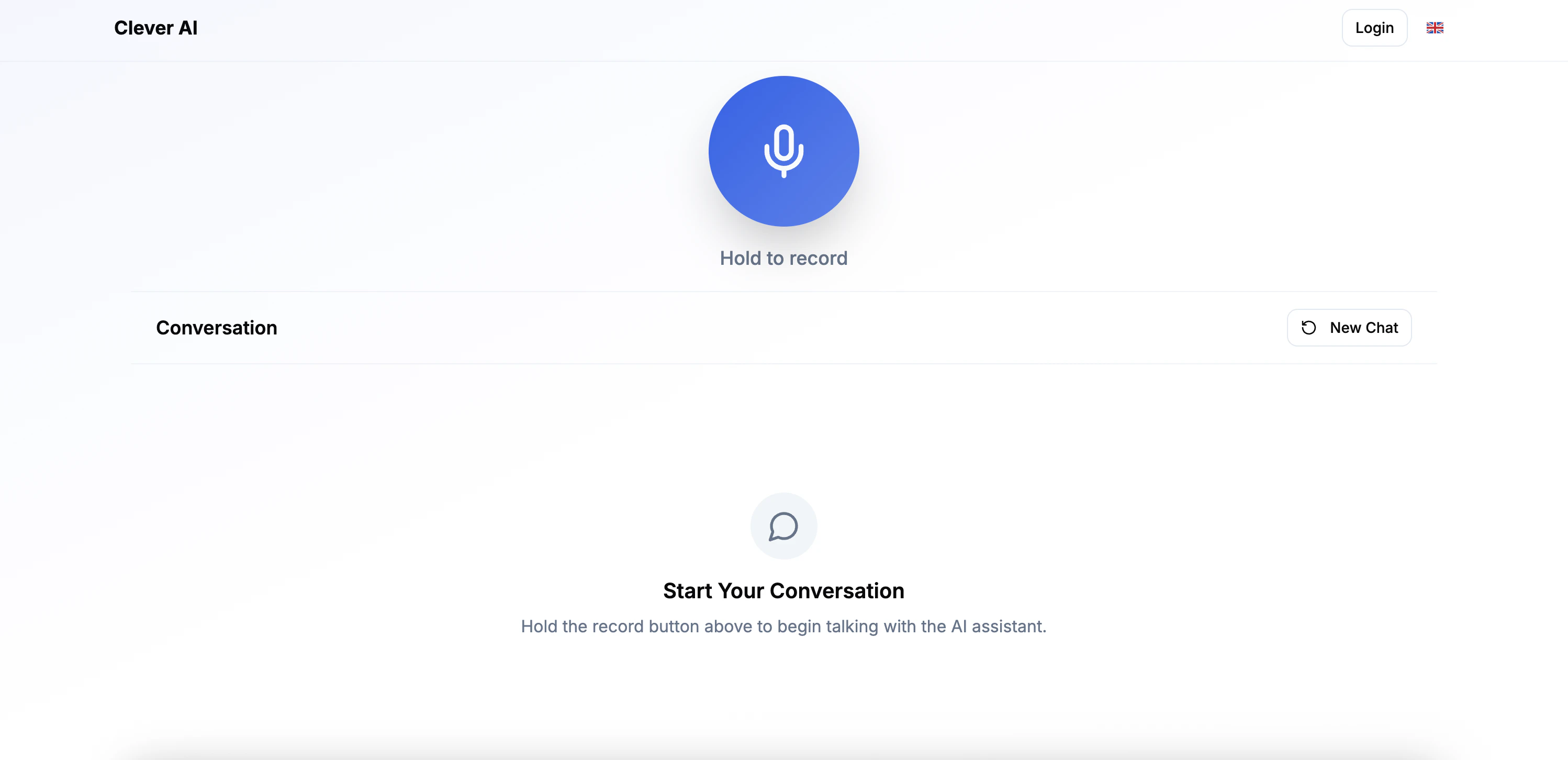
    Press and hold the microphone button, speak your request, then release the button when finished.
  </Step>

  <Step title="Provide Required Details">
    The agent will prompt you for any missing mandatory information.
  </Step>

  <Step title="Review Ticket">
    Once all details are gathered, the agent will create a ticket and confirm the reference number.
  </Step>
</Steps>

## Core Components

<CardGroup cols={2}>
  <Card title="Conversational Ticket Logging" icon="microphone-lines" color="#16A34A">
    Natural language interface that captures required customer details and logs tickets automatically.
  </Card>

  <Card title="Analytics Dashboard" icon="chart-line" color="#16A34A">
    Real-time visualisation of ticket volumes, statuses, and response times.
  </Card>

  <Card title="Ticket & Conversation History" icon="clock-rotate-left" color="#16A34A">
    Browse historical tickets and conversation transcripts for auditing and follow-up.
  </Card>
</CardGroup>

# Getting Started with Clever AI Conversation Agent

<Note>
  This guide will help you understand the Clever AI Conversation Agent and how to get started with using its voice-powered ticketing intelligence features.
</Note>

### Overview

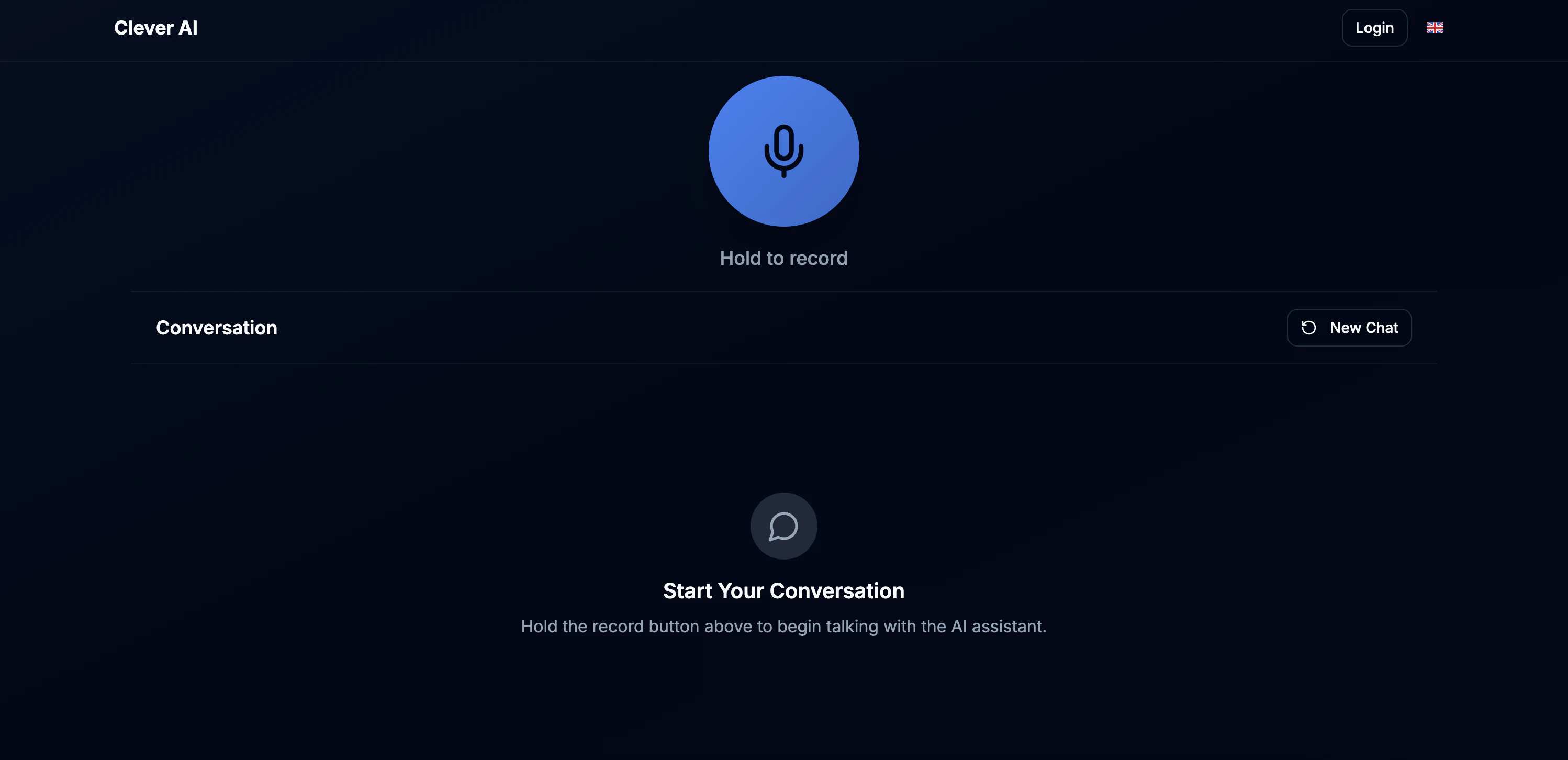
Clever AI is an advanced conversational ticketing agent designed specifically for **Clever Servizi Energetici S.p.A.** that transforms customer service through voice-powered interactions. Using cutting-edge AI technology, it automates ticket creation and management while maintaining natural, multilingual conversations.

<img className="block dark:hidden" src="https://mintcdn.com/nivara/BdU5x643xwbrBgr0/projects/clever-ai/images/clever_conversation_ai_light.png?fit=max&auto=format&n=BdU5x643xwbrBgr0&q=85&s=e5ef317c2be88899cd6b50bc98fc49a3" alt="Clever AI Conversation Agent Light" width="2996" height="1452" data-path="projects/clever-ai/images/clever_conversation_ai_light.png" />

<img className="hidden dark:block" src="https://mintcdn.com/nivara/BdU5x643xwbrBgr0/projects/clever-ai/images/clever_conversation_ai_dark.png?fit=max&auto=format&n=BdU5x643xwbrBgr0&q=85&s=295321ae6d2aa85df26aa91604ebc629" alt="Clever AI Conversation Agent Dark" width="2996" height="1452" data-path="projects/clever-ai/images/clever_conversation_ai_dark.png" />

### System Requirements

<div className="mt-4 p-4 border rounded-lg bg-gradient-to-r from-blue-50 to-indigo-50 dark:from-blue-900 dark:to-indigo-900">
  <h3 className="font-bold">Application Requirements</h3>

  <ul className="mt-2 space-y-2">
    <li> <strong>Web Browser:</strong> Latest version of Chrome</li>
    <li> <strong>Microphone Access:</strong> Required for voice interaction</li>
    <li> <strong>Internet Connection:</strong> Required for accessing the application</li>
  </ul>
</div>

<Callout type="info">
  Clever AI is optimized for voice interactions and works best with a reliable internet connection and quality microphone for accurate speech recognition.
</Callout>

### Voice Interaction Features

<AccordionGroup>
  <Accordion title="Speech Recognition">
    <div className="space-y-3">
      <div className="p-3 bg-blue-50 dark:bg-blue-900 rounded-lg">
        <strong>Google Cloud Speech-to-Text</strong> : Industry-leading accuracy with support for Italian and English languages
      </div>

      <ul className="space-y-2 ml-4">
        <li>Multi-Lingual Support</li>
        <li>Best for balanced accuracy and cost-effectiveness</li>
      </ul>
    </div>
  </Accordion>

  <Accordion title="Natural Language Understanding">
    <div className="space-y-3">
      <div className="p-3 bg-green-50 dark:bg-green-900 rounded-lg">
        <strong>GPT-4.1-mini</strong> - Advanced conversational AI with contextual understanding
      </div>

      <ul className="space-y-2 ml-4">
        <li>Extracts customer information intelligently</li>
        <li>Handles complex maintenance requests</li>
        <li>Maintains conversation context</li>
      </ul>
    </div>
  </Accordion>

  <Accordion title="Response Generation">
    <div className="space-y-3">
      <div className="p-3 bg-purple-50 dark:bg-purple-900 rounded-lg">
        <strong>Google Cloud Text-to-Speech</strong> - Natural voice responses in Italian and English
      </div>

      <ul className="space-y-2 ml-4">
        <li>Clear, professional voice synthesis</li>
        <li>Confirmation of captured information</li>
        <li>Guided prompts for missing details</li>
      </ul>
    </div>
  </Accordion>
</AccordionGroup>

## How to Use Clever AI

Follow these steps to create your first maintenance ticket using voice commands:

<Steps>
  <Step title="Access the Conversation Agent">
    Open Clever AI in your Chrome browser and ensure microphone permissions are granted.
  </Step>

  <Step title="Start Speaking">
    Press and hold the microphone button, then describe your maintenance issue in Italian or English.
  </Step>

  <Step title="Provide Required Information">
    The agent will ask for any missing mandatory details like your name, phone number, and address.
  </Step>

  <Step title="Add Optional Details">
    Optionally provide your role, issue priority, or specific request type for better categorization.
  </Step>

  <Step title="Confirm and Submit">
    Review the captured information and confirm to create your maintenance ticket.
  </Step>
</Steps>

### Core Components

Clever AI offers a comprehensive set of features designed to revolutionize maintenance ticket management through intelligent conversation:

<CardGroup cols={2}>
  <Card title="Voice-Powered Ticket Creation" icon="microphone" color="#16A34A">
    <div className="space-y-3">
      <p>Create maintenance tickets through natural voice conversations in Italian or English.</p>

      <div className="space-y-2">
        <div className="flex items-center space-x-2">
          <span className="text-green-600">✓</span>
          <span>Automatic information extraction</span>
        </div>

        <div className="flex items-center space-x-2">
          <span className="text-green-600">✓</span>
          <span>Intelligent prompting for missing details</span>
        </div>

        <div className="flex items-center space-x-2">
          <span className="text-green-600">✓</span>
          <span>Real-time validation and confirmation</span>
        </div>
      </div>
    </div>
  </Card>

  <Card title="Smart Information Capture" icon="brain" color="#3B82F6">
    <div className="space-y-3">
      <p>Intelligent extraction of customer details and maintenance requirements.</p>

      <div className="space-y-2">
        <div className="flex items-center space-x-2">
          <span className="text-blue-600">📋</span>
          <span><strong>Mandatory:</strong> Name, phone, address, issue</span>
        </div>

        <div className="flex items-center space-x-2">
          <span className="text-purple-600">⚡</span>
          <span><strong>Optional:</strong> Role, priority, request type</span>
        </div>

        <div className="flex items-center space-x-2">
          <span className="text-orange-600">🔍</span>
          <span><strong>Validation:</strong> Format and completeness checks</span>
        </div>
      </div>
    </div>
  </Card>

  <Card title="Ticket Management System" icon="clipboard-list" color="#8B5CF6">
    <div className="space-y-3">
      <p>Comprehensive ticket lifecycle management with automated workflows.</p>

      <div className="space-y-2">
        <div className="flex items-center space-x-2">
          <span className="text-green-600">✓</span>
          <span>Automatic ticket ID generation</span>
        </div>

        <div className="flex items-center space-x-2">
          <span className="text-green-600">✓</span>
          <span>Status tracking and updates</span>
        </div>

        <div className="flex items-center space-x-2">
          <span className="text-green-600">✓</span>
          <span> Extensible Integration with other existing systems</span>
        </div>
      </div>
    </div>
  </Card>

  <Card title="Analytics & Insights" icon="chart-line" color="#EF4444">
    <div className="space-y-3">
      <p>Real-time analytics and reporting for ticket performance and trends.</p>

      <div className="space-y-2">
        <div className="flex items-center space-x-2">
          <span className="text-red-600">📊</span>
          <span>Ticket volume and resolution metrics</span>
        </div>

        <div className="flex items-center space-x-2">
          <span className="text-red-600">📈</span>
          <span>Response time analysis</span>
        </div>

        <div className="flex items-center space-x-2">
          <span className="text-red-600">📋</span>
          <span>Customer Ticket History</span>
        </div>
      </div>
    </div>
  </Card>
</CardGroup>

## Tech Stack

<AccordionGroup>
  <Accordion title="Frontend Technologies">
    <CardGroup cols={2}>
      <Card title="TypeScript" icon="code" color="#3178C6">
        <div className="space-y-2">
          <p>Core language for type-safe frontend development</p>

          <ul className="text-sm space-y-1">
            <li>Strong typing for better code quality</li>
            <li>Improved maintainability</li>
          </ul>
        </div>
      </Card>
    </CardGroup>
  </Accordion>

  <Accordion title="Backend Infrastructure">
    <CardGroup cols={2}>
      <Card title="FastAPI" icon="server" color="#009688">
        <div className="space-y-2">
          <p>High-performance Python web framework</p>

          <ul className="text-sm space-y-1">
            <li>Automatic API documentation</li>
            <li>Type hints and validation</li>
          </ul>
        </div>
      </Card>

      <Card title="SQLite" icon="database" color="#003B57">
        <div className="space-y-2">
          <p>Lightweight database for tickets and logs</p>

          <ul className="text-sm space-y-1">
            <li>Zero configuration required</li>
            <li>ACID compliance</li>
          </ul>
        </div>
      </Card>
    </CardGroup>
  </Accordion>

  <Accordion title="AI & Cloud Services">
    <CardGroup cols={2}>
      <Card title="OpenAI GPT-4.1-mini" icon="brain" color="#412991">
        <div className="space-y-2">
          <p>Advanced language model for conversation</p>

          <ul className="text-sm space-y-1">
            <li>Natural language understanding</li>
            <li>Context-aware responses</li>
            <li>Multi-language support</li>
          </ul>
        </div>
      </Card>

      <Card title="Google Cloud AI" icon="cloud" color="#4285F4">
        <div className="space-y-2">
          <p>Speech-to-text and text-to-speech services</p>

          <ul className="text-sm space-y-1">
            <li>Natural voice synthesis</li>
          </ul>
        </div>
      </Card>
    </CardGroup>
  </Accordion>

  <Accordion title="Deployment & DevOps">
    <div className="grid grid-cols-1 md:grid-cols-3 gap-4">
      <div className="p-4 border rounded-lg bg-blue-50 dark:bg-blue-900">
        <h4 className="font-bold flex items-center">
          <span className="mr-2">🐳</span>
          Docker
        </h4>

        <p className="text-sm mt-2">Containerization for consistent deployment across environments</p>
      </div>

      <div className="p-4 border rounded-lg bg-green-50 dark:bg-green-900">
        <h4 className="font-bold flex items-center">
          <span className="mr-2">☁️</span>
          Cloud Run
        </h4>

        <p className="text-sm mt-2">Serverless container platform for scalable API serving</p>
      </div>

      <div className="p-4 border rounded-lg bg-purple-50 dark:bg-purple-900">
        <h4 className="font-bold flex items-center">
          <span className="mr-2">⚙️</span>
          CI/CD
        </h4>

        <p className="text-sm mt-2">GitHub Actions & WatchTower for automated deployment</p>
      </div>
    </div>
  </Accordion>
</AccordionGroup>

## Agent Details

<AccordionGroup>
  <Accordion title="Agent Tools & Capabilities">
    <div className="grid grid-cols-1 md:grid-cols-2 lg:grid-cols-3 gap-4">
      <div className="p-4 border rounded-lg bg-gradient-to-br from-blue-50 to-indigo-50 dark:from-blue-900 dark:to-indigo-900">
        <h4 className="font-bold text-blue-700 dark:text-blue-300 mb-2">🚀 Session Management</h4>

        <ul className="text-xs space-y-1 break-words">
          <li className="font-mono bg-white dark:bg-gray-800 px-2 py-1 rounded">start\_conversation\_tool</li>
          <li className="font-mono bg-white dark:bg-gray-800 px-2 py-1 rounded">complete\_conversation\_tool</li>
          <li className="font-mono bg-white dark:bg-gray-800 px-2 py-1 rounded">finalize\_conversation\_tool</li>
        </ul>
      </div>

      <div className="p-4 border rounded-lg bg-gradient-to-br from-green-50 to-emerald-50 dark:from-green-900 dark:to-emerald-900">
        <h4 className="font-bold text-green-700 dark:text-green-300 mb-2">📋 Information Extraction</h4>

        <ul className="text-xs space-y-1 break-words">
          <li className="font-mono bg-white dark:bg-gray-800 px-2 py-1 rounded">extract\_customer\_info\_tool</li>
          <li className="font-mono bg-white dark:bg-gray-800 px-2 py-1 rounded">prompt\_for\_issue\_tool</li>
        </ul>
      </div>

      <div className="p-4 border rounded-lg bg-gradient-to-br from-purple-50 to-violet-50 dark:from-purple-900 dark:to-violet-900">
        <h4 className="font-bold text-purple-700 dark:text-purple-300 mb-2">🔧 Issue Resolution</h4>

        <ul className="text-xs space-y-1 break-words">
          <li className="font-mono bg-white dark:bg-gray-800 px-2 py-1 rounded">troubleshoot\_issue\_tool</li>
          <li className="font-mono bg-white dark:bg-gray-800 px-2 py-1 rounded">skip\_troubleshooting\_tool</li>
        </ul>
      </div>

      <div className="p-4 border rounded-lg bg-gradient-to-br from-orange-50 to-red-50 dark:from-orange-900 dark:to-red-900">
        <h4 className="font-bold text-orange-700 dark:text-orange-300 mb-2">✅ Confirmation Handling</h4>

        <ul className="text-xs space-y-1 break-words">
          <li className="font-mono bg-white dark:bg-gray-800 px-2 py-1 rounded">handle\_confirmation\_rejection\_tool</li>
        </ul>
      </div>

      <div className="p-4 border rounded-lg bg-gradient-to-br from-amber-50 to-yellow-50 dark:from-amber-900 dark:to-yellow-900">
        <h4 className="font-bold text-amber-700 dark:text-amber-300 mb-2">🏠 Query Routing</h4>

        <ul className="text-xs space-y-1 break-words">
          <li className="font-mono bg-white dark:bg-gray-800 px-2 py-1 rounded">handle\_non\_housing\_inquiry\_tool</li>
        </ul>
      </div>
    </div>
  </Accordion>
</AccordionGroup>

<div className="mt-8 p-6 border rounded-lg bg-gradient-to-r from-blue-50 to-indigo-50 dark:from-blue-900 dark:to-indigo-900">
  <h3 className="font-bold text-xl text-center mb-4">Need Help?</h3>

  <p className="text-center mb-4">
    If you encounter any issues or have questions about Clever AI, our team is here to help.
  </p>

  <div className="flex justify-center space-x-4">
    <a href="mailto:desk@nivara.io" className="px-6 py-3 bg-blue-600 text-white rounded-lg hover:bg-blue-700 transition-colors shadow-md">
      📧 Contact Support
    </a>

    <a href="/projects/clever-ai/api-reference" className="px-6 py-3 bg-green-600 text-white rounded-lg hover:bg-green-700 transition-colors shadow-md">
      📚 API Reference
    </a>
  </div>
</div>
