> ## Documentation Index
> Fetch the complete documentation index at: https://docs.nivara.io/llms.txt
> Use this file to discover all available pages before exploring further.

# Covita v0.3

> Advanced Medical Research Agent with FDA Database Integration, Analytics Dashboard, and Monitoring & Alerts

# Getting Started with Covita v0.3

<Note>
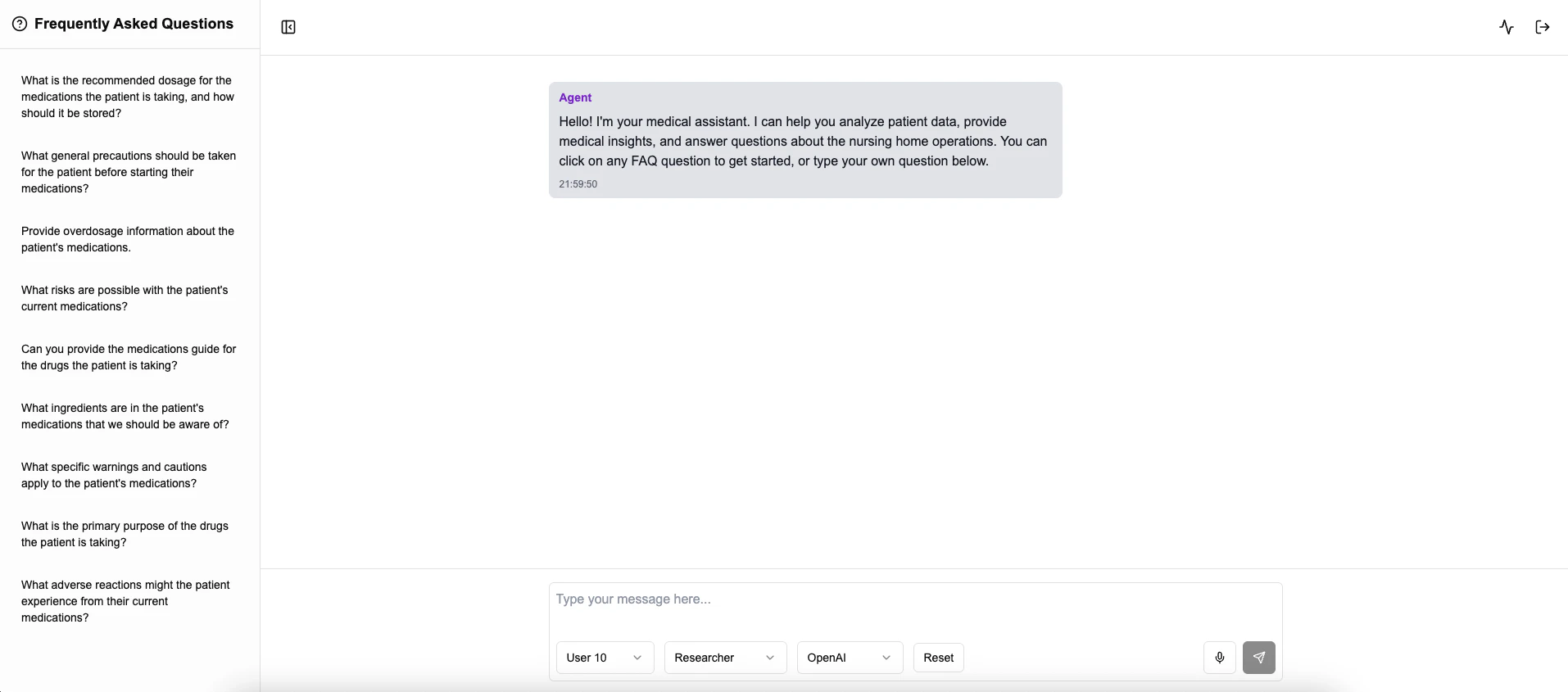
  This guide will help you understand the Covita v0.3 advanced system featuring medical research capabilities, comprehensive analytics, and intelligent monitoring.
</Note>

### Overview

Covita v0.3 represents a significant advancement in health monitoring technology, introducing cutting-edge medical research capabilities powered by FDA database integration. Building upon the solid foundation of v0.2, this version adds sophisticated analytics dashboards and proactive monitoring systems to provide unprecedented insights into patient health data.

<img className="block dark:hidden" src="https://mintcdn.com/nivara/BdU5x643xwbrBgr0/projects/covita/versions/v0.3/images/covita-alpha-0.3-light.png?fit=max&auto=format&n=BdU5x643xwbrBgr0&q=85&s=a177a54f9e70f59bb43f1a023c066477" alt="Covita Dashboard Light" width="1914" height="845" data-path="projects/covita/versions/v0.3/images/covita-alpha-0.3-light.png" />

{/* <img
className="hidden dark:block"
src="images/covita-alpha-0.3-dark.png"
alt="Covita Dashboard Dark"
/> */}

## Quick Start

Follow these steps to quickly get started with Covita v0.3:

<Steps>
  <Step title="Access Covita">
    Visit [covita.nivara.io](https://covita.nivara.io) to access the Covita interface.
  </Step>

  <Step title="Login">
    Log in using your whitelisted credentials. Contact admin if you need access.
  </Step>

  <Step title="Select Agent Type">
    Choose your agent type (Patient, Coach, Doctor, or Researcher) based on your role and needs.
  </Step>

  <Step title="Select Model">
    Choose your preferred model (OpenAI or Gemini) for interaction.
  </Step>

  <Step title="Explore Analytics Dashboard">
    Access the new analytics dashboard at [covita-dashboard.nivara.io](https://covita-dashboard.nivara.io/monitoring) for comprehensive health data visualization and insights.
  </Step>

  <Step title="Configure Monitoring">
    Set up monitoring alerts for proactive health management and early intervention.
  </Step>

  <Step title="Start Interacting">
    Engage with your chosen agent, including the new Medical Research Agent for FDA-backed insights. Use voice input and receive spoken responses for enhanced accessibility.
  </Step>
</Steps>

## New in v0.3

<div className="p-6 border rounded-lg bg-gradient-to-r from-blue-50 to-indigo-50 dark:from-blue-900 dark:to-indigo-900">
  <h3 className="text-xl font-bold mb-4">Revolutionary Features in v0.3</h3>

  <div className="space-y-4">
    <div className="p-4 border-l-4 border-purple-500 bg-purple-50 dark:bg-purple-900/30">
      <h4 className="font-bold">Medical Research Agent (FDA Database Integration)</h4>
      <p>Introducing our most advanced agent based on TX Agent technology by Harvard University. This specialized agent connects directly to FDA databases, providing evidence-based medical insights, drug interaction warnings, and regulatory information for enhanced clinical decision-making.</p>
    </div>

    <div className="p-4 border-l-4 border-emerald-500 bg-emerald-50 dark:bg-emerald-900/30">
      <h4 className="font-bold">Analytics Dashboard</h4>
      <p>Comprehensive visual analytics platform featuring real-time health metrics, trend analysis, population health insights, and customizable reporting. Track patient progress, identify patterns, and make data-driven decisions with intuitive visualizations.</p>
    </div>

    <div className="p-4 border-l-4 border-red-500 bg-red-50 dark:bg-red-900/30">
      <h4 className="font-bold">Monitoring & Alerts</h4>
      <p>Intelligent monitoring system with customizable alert thresholds for vital signs, medication adherence, and health anomalies. Proactive notifications enable early intervention and prevent health deterioration through predictive analytics.</p>
    </div>

    <div className="p-4 border-l-4 border-blue-500 bg-blue-50 dark:bg-blue-900/30">
      <h4 className="font-bold">Enhanced Multi-Agent System</h4>
      <p>All previous agents (Patient, Coach, Doctor) have been enhanced with improved AI capabilities, while the new Researcher agent provides academic-level insights and clinical research capabilities.</p>
    </div>
  </div>
</div>

## From v0.2 to v0.3

<div className="p-6 border rounded-lg bg-gradient-to-r from-green-50 to-emerald-50 dark:from-green-900 dark:to-emerald-900">
  <h3 className="text-xl font-bold mb-4">Continuing Excellence from v0.2</h3>

  <div className="space-y-4">
    <div className="p-4 border-l-4 border-green-500 bg-green-50 dark:bg-green-900/30">
      <h4 className="font-bold">Whitelisted Login</h4>
      <p>Enhanced security with a whitelisted login system using Supabase, ensuring only authorized users can access the application.</p>
    </div>

    <div className="p-4 border-l-4 border-blue-500 bg-blue-50 dark:bg-blue-900/30">
      <h4 className="font-bold">Voice Functionality</h4>
      <p>Natural voice interaction capabilities allow users to speak queries and receive spoken responses, enhancing accessibility and ease of use.</p>
    </div>

    <div className="p-4 border-l-4 border-purple-500 bg-purple-50 dark:bg-purple-900/30">
      <h4 className="font-bold">Dietitian Integration in Coach Agent</h4>
      <p>The Coach Agent incorporates dietitian expertise, providing professionally-backed nutritional recommendations.</p>
    </div>

    <div className="p-4 border-l-4 border-orange-500 bg-orange-50 dark:bg-orange-900/30">
      <h4 className="font-bold">Specialized Recommendations</h4>
      <p>Comprehensive recommendation capabilities:</p>
      <li>Fitness recommendations tailored to individual capabilities and goals</li>
      <li>Diet recommendations based on nutritional science and personal health data</li>
      <li>Medical recommendations from the Doctor Agent based on comprehensive health analysis</li>
    </div>
  </div>
</div>

## Project Overview

### About Co.Vita

Co.Vita is a 12-month cohousing community initiative designed for seniors between the ages of 65 and 85. The project will not function as a nursing home, and will culminate in the development of three buildings. The seniors can come and go as they please, just like they would in a hotel or residence. They are welcome to have visitors, and they can even take vacations and leave their smart suite vacant for any length of time.

<Note>
  Co.Vita's mission is to detect, anticipate and help to manage life-shortening conditions and improve health and longevity, through active engagement, both physical and mental.
</Note>

For detailed information about our solution, tech stack, agent details, and other technical aspects, please refer to the <a href="/projects/covita/versions/v0.1/overview">v0.1 documentation</a>.

<div className="mt-8 p-4 border rounded-lg bg-blue-50 dark:bg-blue-900">
  <h3 className="font-bold text-center">Need Help?</h3>

  <p className="text-center mt-2">
    If you encounter any issues or have questions, our team is here to help.
  </p>

  <div className="flex justify-center mt-4">
    <a href="mailto:desk@nivara.io" className="px-4 py-2 bg-blue-600 text-white rounded-md hover:bg-blue-700 transition-colors">
      Contact Us
    </a>
  </div>
</div>
