

Project Overview
About Co.Vita
Co.Vita is a 12-month cohousing community initiative designed for seniors between the ages of 65 and 85. The project will not function as a nursing home, and will culminate in the development of three buildings. The seniors can come and go as they please, just like they would in a hotel or residence. They are welcome to have visitors, and they can even take vacations and leave their smart suite vacant for any length of time.Our Solution
We built a multi-agent system comprising of 3 dynamic agents (Patient, Coach and Doctor) which interact with Patient 0 data.Patient Agent
Coach Agent
Doctor Agent
Guardrails System
Getting Started with Covita Alpha
Overview
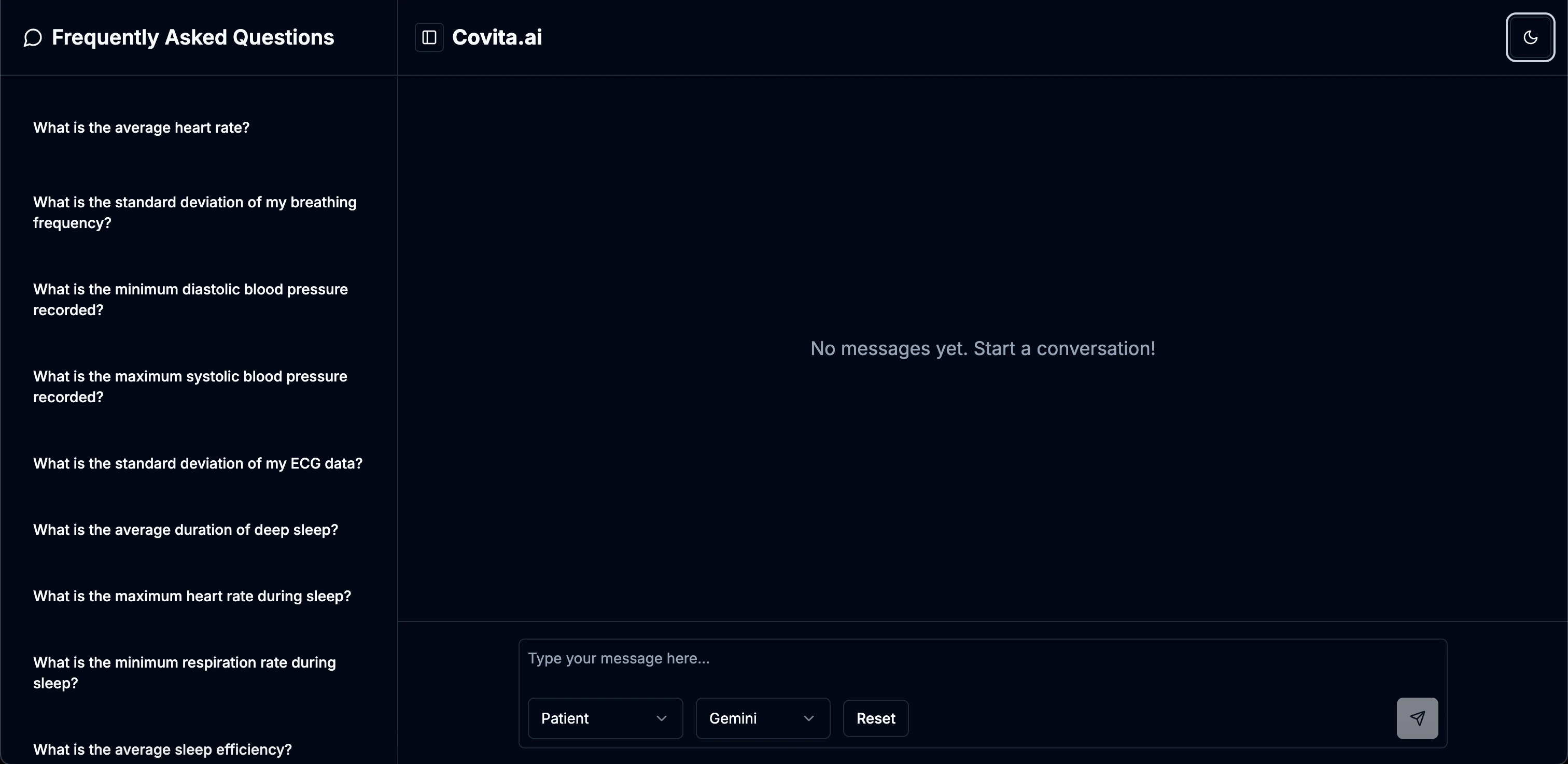
Covita Alpha is a comprehensive solution designed to analyze and provide insights from health data, including heart and sleep metrics. With its multi-agent approach and powerful features, Covita helps manage senior health monitoring efficiently.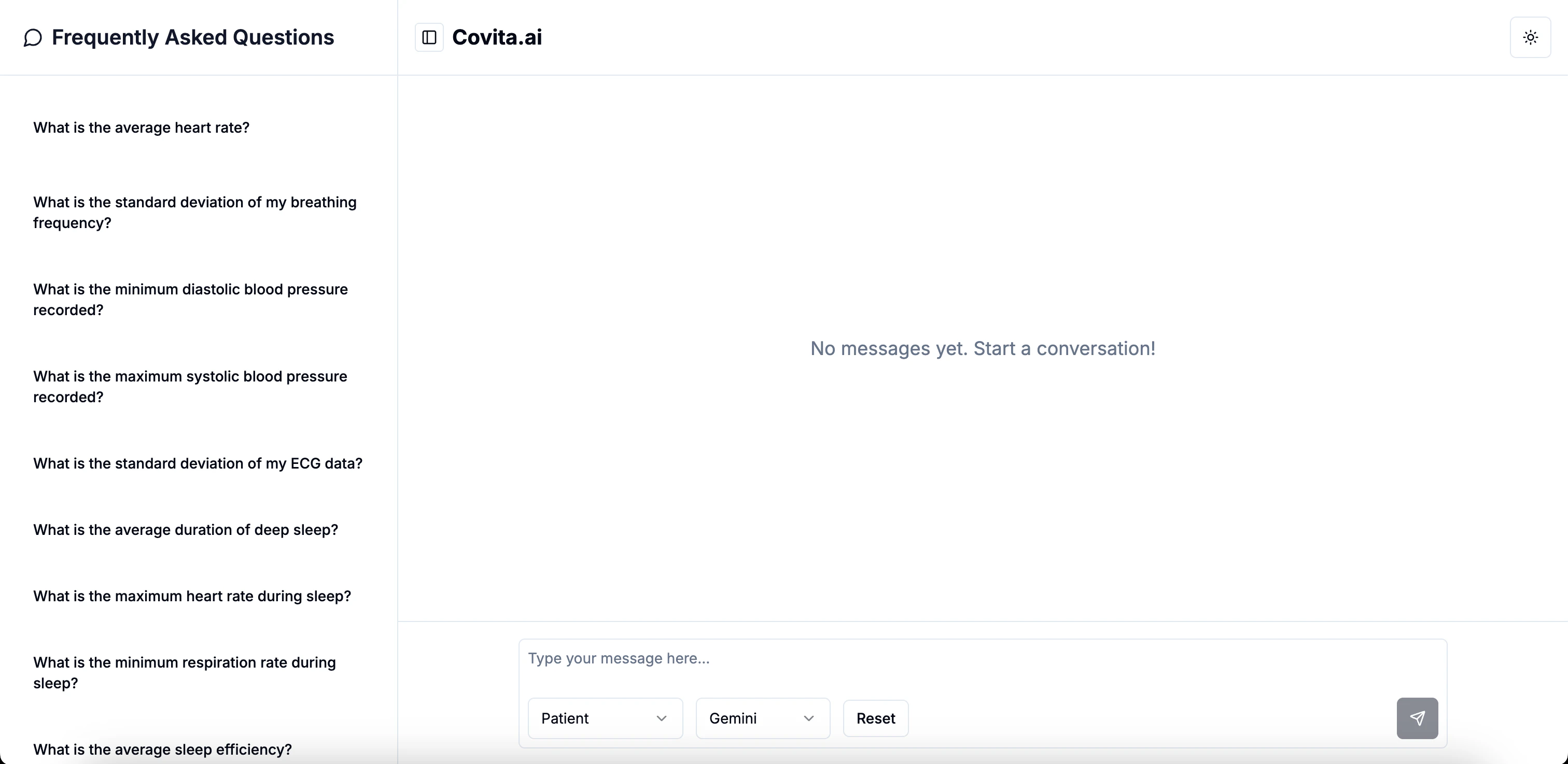
System Requirements
Application Requirements
- Web Browser: Latest version of Chrome, Firefox, Safari, or Edge
- Internet Connection: Required for accessing the application
Quick Start
Follow these steps to quickly get started with Covita Alpha:Access Covita
Select Agent Type
Select Model
Start Interacting
Core Components
Covita Alpha offers a comprehensive set of features designed to analyze health data:Cardiovascular Monitoring
Comprehensive analysis of heart-related metrics with statistical insights and trend detection.
- Heart rate analytics (min, max, average, trends)
- Blood pressure monitoring (systolic and diastolic)
- Statistical analysis with standard deviations
- ECG data processing
Sleep Quality Assessment
Detailed sleep metrics analysis with pattern recognition and efficiency measurements.
- Deep sleep duration tracking and optimization
- Sleep efficiency scoring and analysis
- Heart rate during sleep monitoring
- Sleep duration and quality metrics with statistical analysis
Respiratory Analysis
Advanced respiratory monitoring with trend analysis and statistical insights.
- Breathing frequency monitoring (min, max, average)
- Respiration rate during sleep tracking
- Statistical variance analysis
- Respiratory pattern recognition
Advanced Analytics & Trends
Comprehensive trend analysis and relationship detection between different health metrics.
- Multi-biomarker trend analysis
- ECG-heart rate relationship assessment
- Sleep disruption impact on heart rate
- Long-term heart rate trend monitoring
Guardrails System
Ensures appropriate use of the system with role-specific limitations.
- Patient agent: Limited to data analytics only
- Coach agent: Fitness and dietary recommendations
- Doctor agent: Medical recommendations and insights
- Content filtering and validation
Natural Language Interface
Intuitive conversation-based interface for all agent interactions.
- Natural language processing of health queries
- Contextual understanding of medical terminology
- Agent-specific response generation
- Conversational health data exploration
Tech Stack
Frontend
- CSS, TypeScript: Core web technologies
Backend
- FastAPI: Modern, high-performance web framework for building APIs
- PostgreSQL (on Google Cloud Platform): Database for storing patient health data
- Python: Programming language
Deployment
- Docker: Containerization for consistent deployment
- Cloud Run: Serverless deployment platform
- GitHub Actions: CI/CD pipeline for automated deployment
- Netlify: Frontend hosting and deployment
Agent Details
Covita uses an agent-based architecture powered by AI language models:Agent Implementation
- Models Used:
- OpenAI o3-mini: Default model for all agent types
- OpenAI GPT-4o: Advanced model option for detailed analysis
- Gemini: Alternative model option available in UI
- Framework: Open AI Agents SDK for agent creation and management
- Agent Types:
- Patient Agent: Provides data analysis without recommendations
- Coach Agent: Offers fitness and dietary recommendations
- Doctor Agent: Delivers medical insights and recommendations
Agent Tools
Each agent has specialized tools for accessing and analyzing Patient 0’s health data:Cardiovascular Data Tools
Cardiovascular Data Tools
get_min_heart_rate: Retrieves minimum heart rate valueget_max_heart_rate: Retrieves maximum heart rate valueget_average_heart_rate: Calculates average heart rateget_average_heart_rate_last_month: Retrieves heart rate average for past 30 daysget_min_systolic_blood_pressure: Gets minimum systolic readingget_max_systolic_blood_pressure: Gets maximum systolic readingget_average_systolic_blood_pressure: Calculates average systolic pressureget_systolic_blood_pressure_std: Calculates standard deviation of systolic readingsget_min_diastolic_blood_pressure: Gets minimum diastolic readingget_max_diastolic_blood_pressure: Gets maximum diastolic readingget_average_diastolic_blood_pressure: Calculates average diastolic pressureget_diastolic_blood_pressure_std: Calculates standard deviation of diastolic readingsget_ecg_std: Retrieves standard deviation of ECG measurements
Respiratory Data Tools
Respiratory Data Tools
get_min_breathing_frequency: Retrieves minimum breathing rateget_max_breathing_frequency: Retrieves maximum breathing rateget_average_breathing_frequency: Calculates average breathing frequencyget_breathing_frequency_std: Calculates standard deviation of breathing ratesget_min_respiration_rate: Gets minimum respiration rate during sleepget_max_respiration_rate: Gets maximum respiration rate during sleepget_average_respiration_rate: Calculates average respiration rateget_respiration_rate_std: Calculates standard deviation of respiration measurements
Sleep Data Tools
Sleep Data Tools
get_min_deep_sleep_duration: Gets minimum deep sleep timeget_max_deep_sleep_duration: Gets maximum deep sleep timeget_average_deep_sleep_duration: Calculates average deep sleep durationget_deep_sleep_duration_std: Calculates standard deviation of deep sleep periodsget_min_sleep_heart_rate: Retrieves minimum heart rate during sleepget_max_sleep_heart_rate: Retrieves maximum heart rate during sleepget_average_sleep_heart_rate: Calculates average heart rate during sleepget_sleep_heart_rate_std: Calculates standard deviation of sleep heart rateget_min_sleep_efficiency: Gets minimum sleep efficiency scoreget_max_sleep_efficiency: Gets maximum sleep efficiency scoreget_average_sleep_efficiency: Calculates average sleep efficiencyget_sleep_efficiency_std: Calculates standard deviation of sleep efficiencyget_min_total_sleep_time: Gets minimum total sleep durationget_max_total_sleep_time: Gets maximum total sleep durationget_average_total_sleep_time: Calculates average total sleep timeget_total_sleep_time_std: Calculates standard deviation of sleep durations
Analysis & Reporting Tools
Analysis & Reporting Tools
get_current_datetime: Retrieves current date and time for reportingget_sleep_metrics_summary: Generates comprehensive sleep quality reportanalyze_ecg_heart_rate_relationship: Examines correlation between ECG and heart rateget_heart_rate_trends: Analyzes heart rate changes over timeanalyze_sleep_disruptions_heart_rate_relationship: Studies impact of sleep disruptions on heart rateget_all_biomarker_trends: Comprehensive analysis of all health metrics and their trends
Other Experiments
- Anthropic
- DeepSeek
- Comparison
Claude Compatibility Issues
We evaluated Claude as an alternative model for our agent implementation but found compatibility issues:
Key Findings
Conclusion
While Claude showed promising natural language capabilities, its incompatibility with our OpenAI Agents SDK framework made integration unfeasible for this version.